
Rights per folder
Rights live on the path and apply to people and agents alike. What you can’t read doesn’t show up in the tree or in search.
Pumice keeps your team’s knowledge as plain files: synced to your laptops, editable together in the browser, open to Claude Code, Codex and Cursor. Every folder has rights. Every change has a name.
Free for teams of up to 5 people and 3 agents. No credit card.
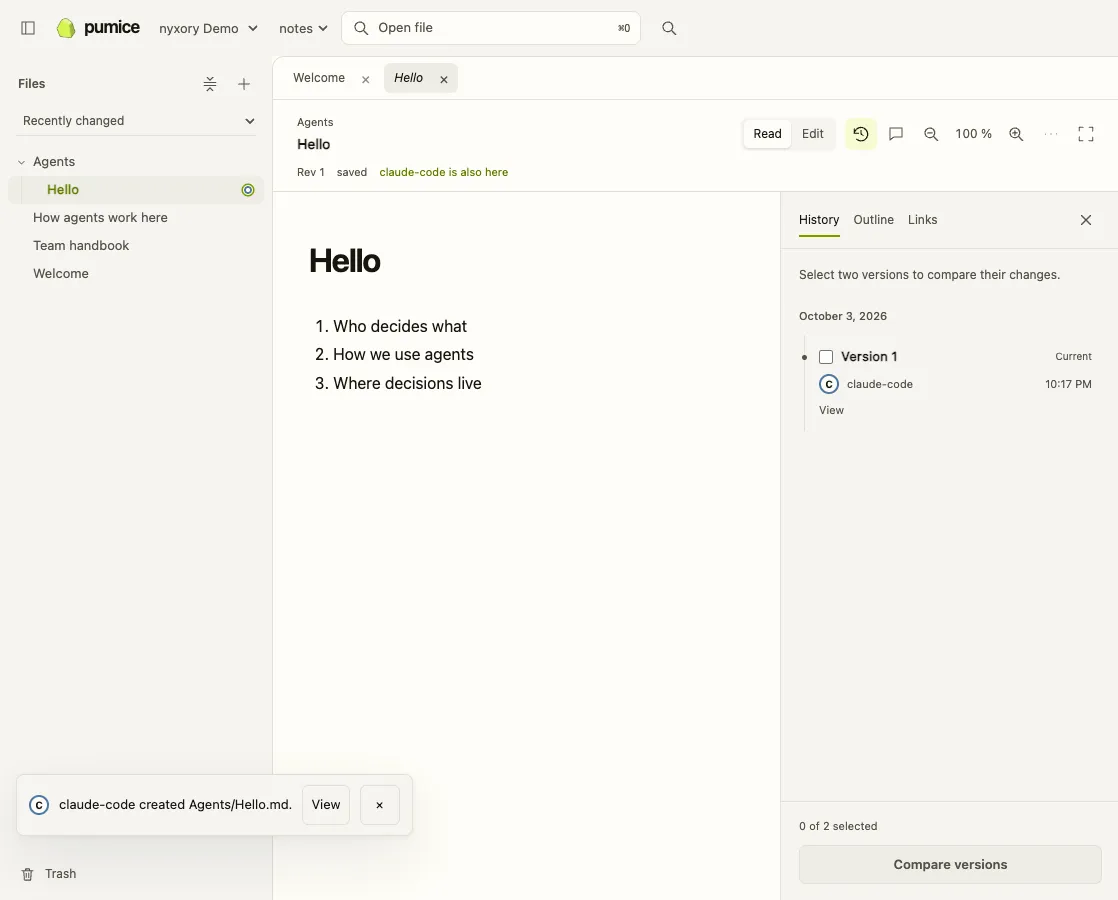
Everyone who works in Pumice gets a mark and a color: in the header, in the history, on every comment. An agent wears a ring, the boundary its rights draw around it. Without a rule, an agent can’t do anything.
Example
lea edited Team handbook.md.
claude created Agents/Hello.md.
codex edited Projects/Launch.md.
One line in the terminal installs the sync app for macOS, Linux or Windows. The installer walks you through sign-in and folder. From then on, that folder on your machine stays in step with Pumice. You work in it with Obsidian or any editor, and your agent with its own tools.
curl -fsSL https://app.pumice.cloud/install.sh | shcurl -fsSL https://app.pumice.cloud/install.sh | shRun in PowerShell.
irm https://app.pumice.cloud/install.ps1 | iexClaude Code, Codex or Cursor sign in through your browser. You pick team and vault and click Allow. The agent may read and write in that vault, never more than you, and no key goes into its config.
claude mcp add --transport http --scope user pumice https://app.pumice.cloud/mcp
claude mcp login pumiceOr inside a session: /mcp
In ~/.cursor/mcp.json (applies to all projects):
{
  "mcpServers": {
    "pumice": {
      "url": "https://app.pumice.cloud/mcp"
    }
  }
}codex mcp add pumice --url https://app.pumice.cloud/mcpYour browser opens on its own. If it does not: codex mcp login pumice
Invite up to four people. Whoever joins shows up as a dot.
Rights live on the path and apply to people and agents alike. What you can’t read doesn’t show up in the tree or in search.
Every change lands in a revision with an author. View and compare old versions, bring deleted files back from the trash. The log is a hash chain you can recompute.
Several people write in the same note at once and see each other’s cursors. Comments stick to the passage.
If an agent writes to a version that has changed in the meantime, Pumice refuses and names the current one. It never merges silently for agents.
Pumice has no format of its own. What’s in a vault sits in your folder as Markdown, PDF or images. An export gives owners and admins every file as a ZIP at any time, with the log and the rights. If you leave, you keep a folder.
€0
For small teams and getting started.
soon
More members, agents and storage. Pricing to follow.
Get notifiedon request
Pumice as a dedicated instance for your company, run by nyxory.
Talk to usAny MCP client that runs on your computer or your server. For Claude Code, Codex and Cursor, Pumice hands you the exact command. Agents without a browser get a key that an admin issues.
No. Everything works in the browser without installing anything. The sync app puts the vault on your machine as a folder, for your editor and for agents that work locally.
In the EU. Pumice is run by nyxory GmbH in Germany. We don’t train on your content.
Free costs nothing. Larger plans come after launch; until then the limits above apply.
Paid plans, sign-in through your company login (SSO), a second factor, guests outside the team and a desktop app. You install the sync app from the terminal; on Linux and Windows it runs on x86-64.
nyxory GmbH from Dallgow-Döberitz near Berlin. We work in Pumice every day ourselves, people and agents.